Features

Everything VocabGlow focuses on to support practical vocabulary growth.

Each feature is designed to stay useful during normal browsing instead of forcing a separate study workflow.

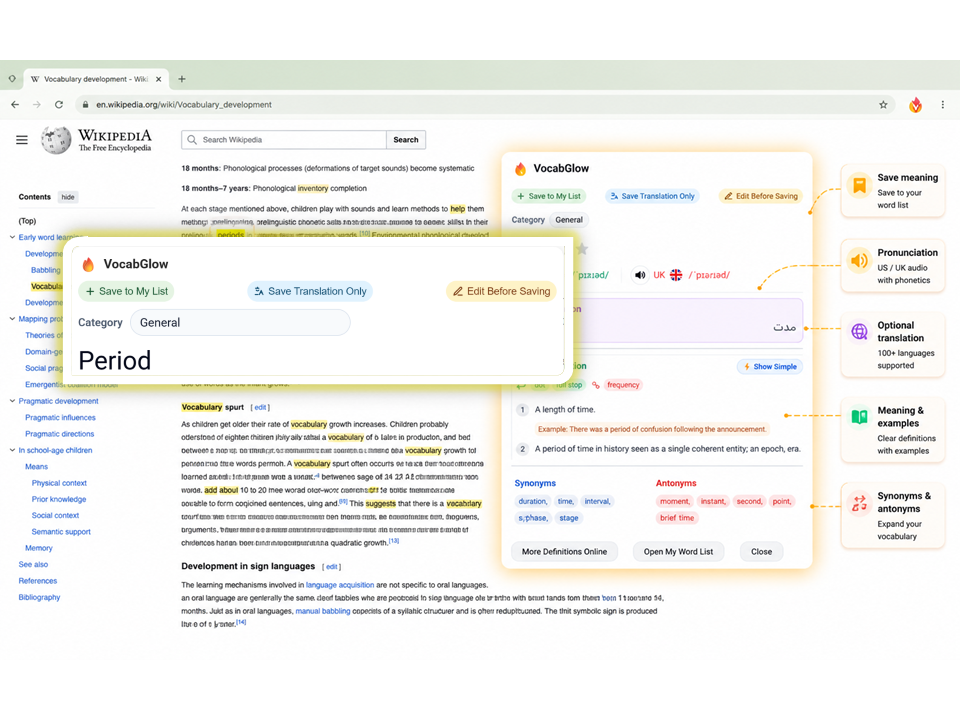
Instant lookup with helper icon and right-click

Look up words instantly using the helper icon or right-click context menu, keeping you focused on reading without interrupting your flow.
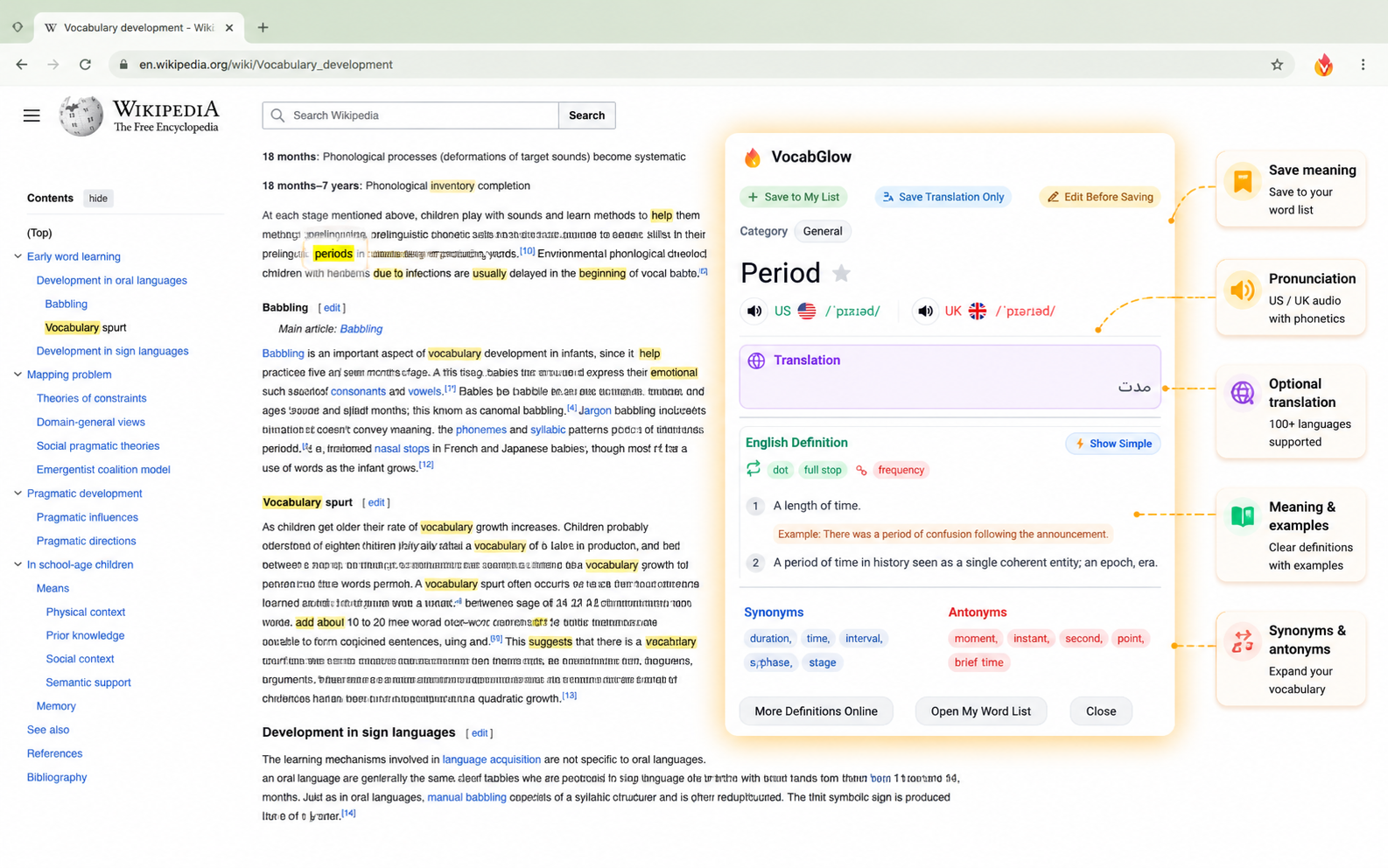
VocabGlow lookup popup displaying pronunciation, definitions, examples, synonyms, antonyms, translation, and save options directly on a webpage.
Get definitions, pronunciation, examples, and translation in one click.

US/UK phonetics and pronunciation audio

Hear accurate pronunciation with US and UK phonetic transcriptions and audio playback for clear understanding.
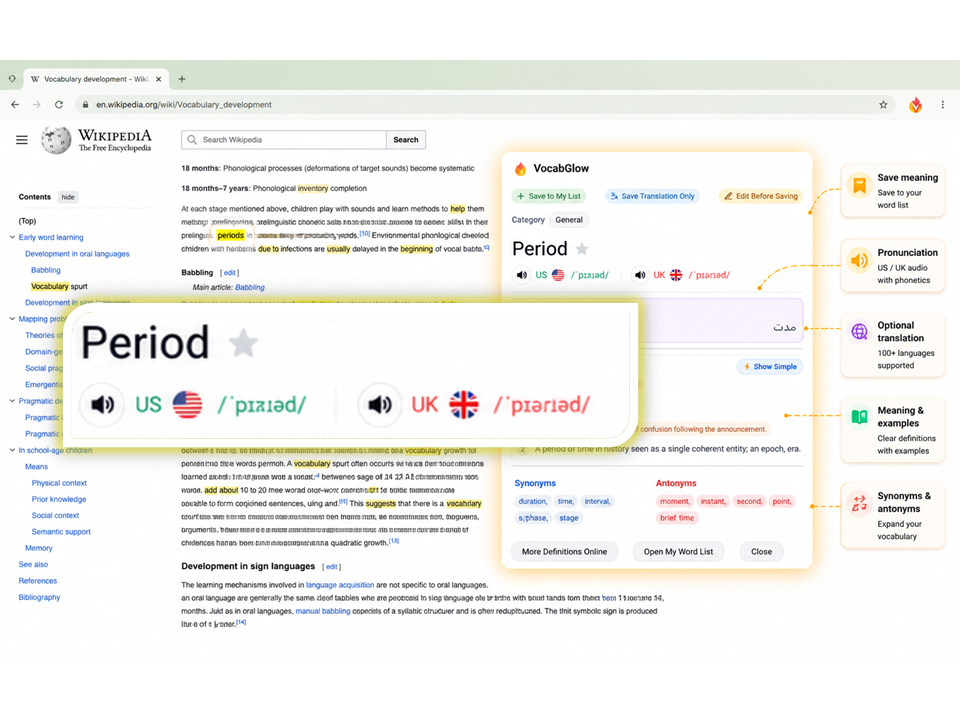
VocabGlow lookup popup displaying pronunciation, definitions, examples, synonyms, antonyms, translation, and save options directly on a webpage.
Get definitions, pronunciation, examples, and translation in one click.

Definitions, examples, synonyms, and antonyms

Get comprehensive word information including definitions, usage examples, synonyms, and antonyms for deeper understanding.
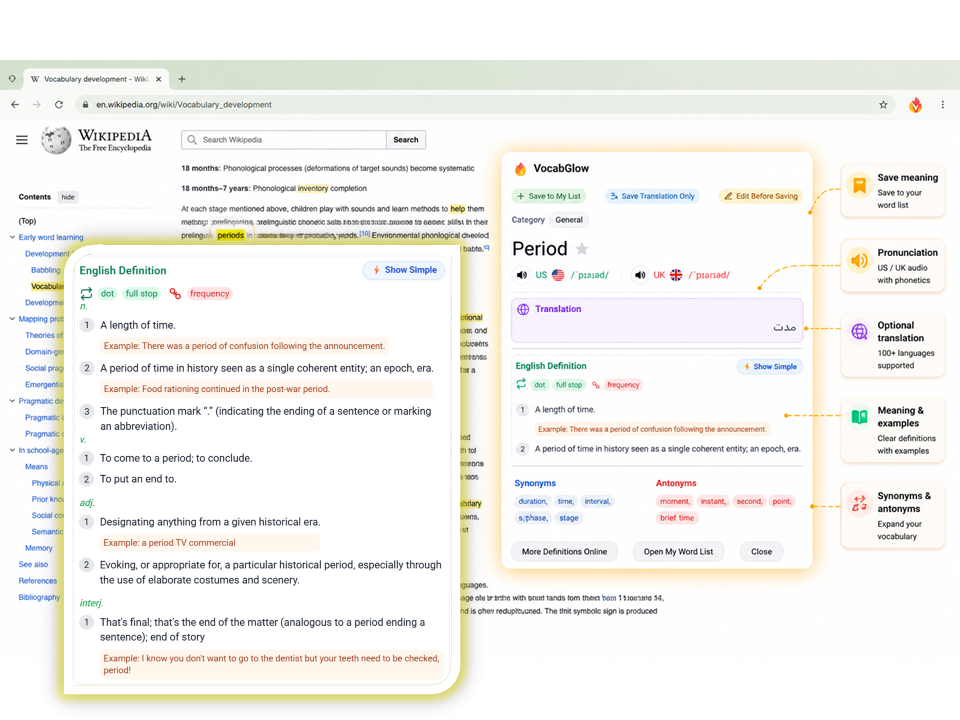
VocabGlow lookup popup displaying pronunciation, definitions, examples, synonyms, antonyms, translation, and save options directly on a webpage.
Get definitions, pronunciation, examples, and translation in one click.

Optional translation in 100+ languages

Translate words into over 100 languages when needed, with the option to turn translation off for English-only learning.
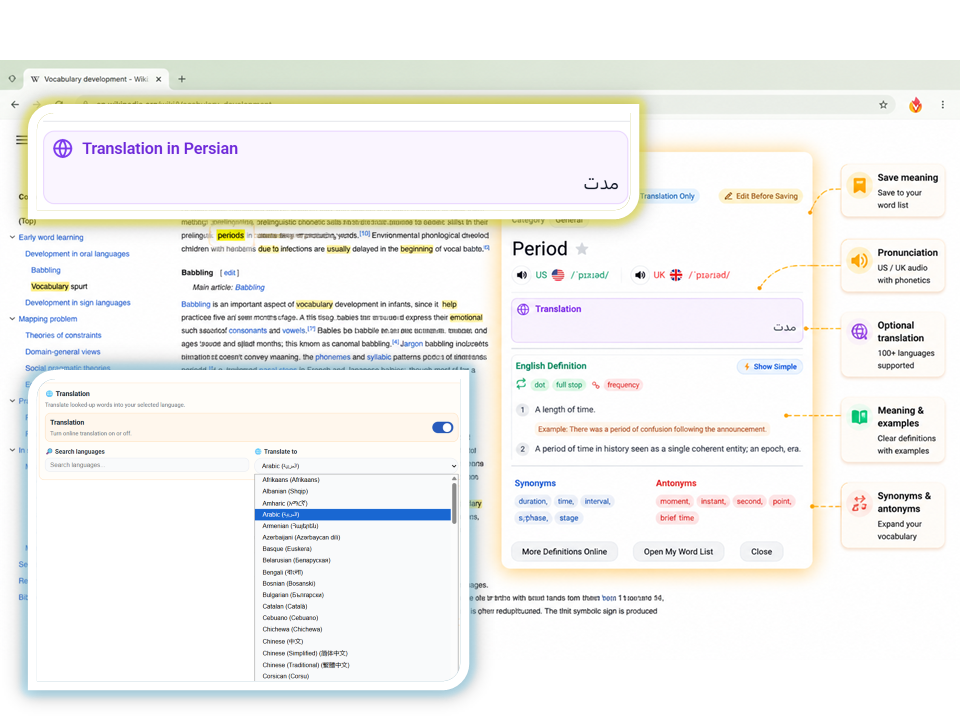
VocabGlow lookup popup displaying pronunciation, definitions, examples, synonyms, antonyms, translation, and save options directly on a webpage.
Get definitions, pronunciation, examples, and translation in one click.

Flexible save actions

Save full results, summaries, translation only, or edited meanings to customise how you build your vocabulary collection.
VocabGlow vocabulary manager showing saved words, categories, search, filtering, edit controls, pronunciation, and CSV import and export tools.
Organise, review, and manage your vocabulary in one place.

Categories, search, and vocabulary manager

Organise words into categories with search, filtering, and a full manager for editing, deleting, manual lookups, and CSV import/export.
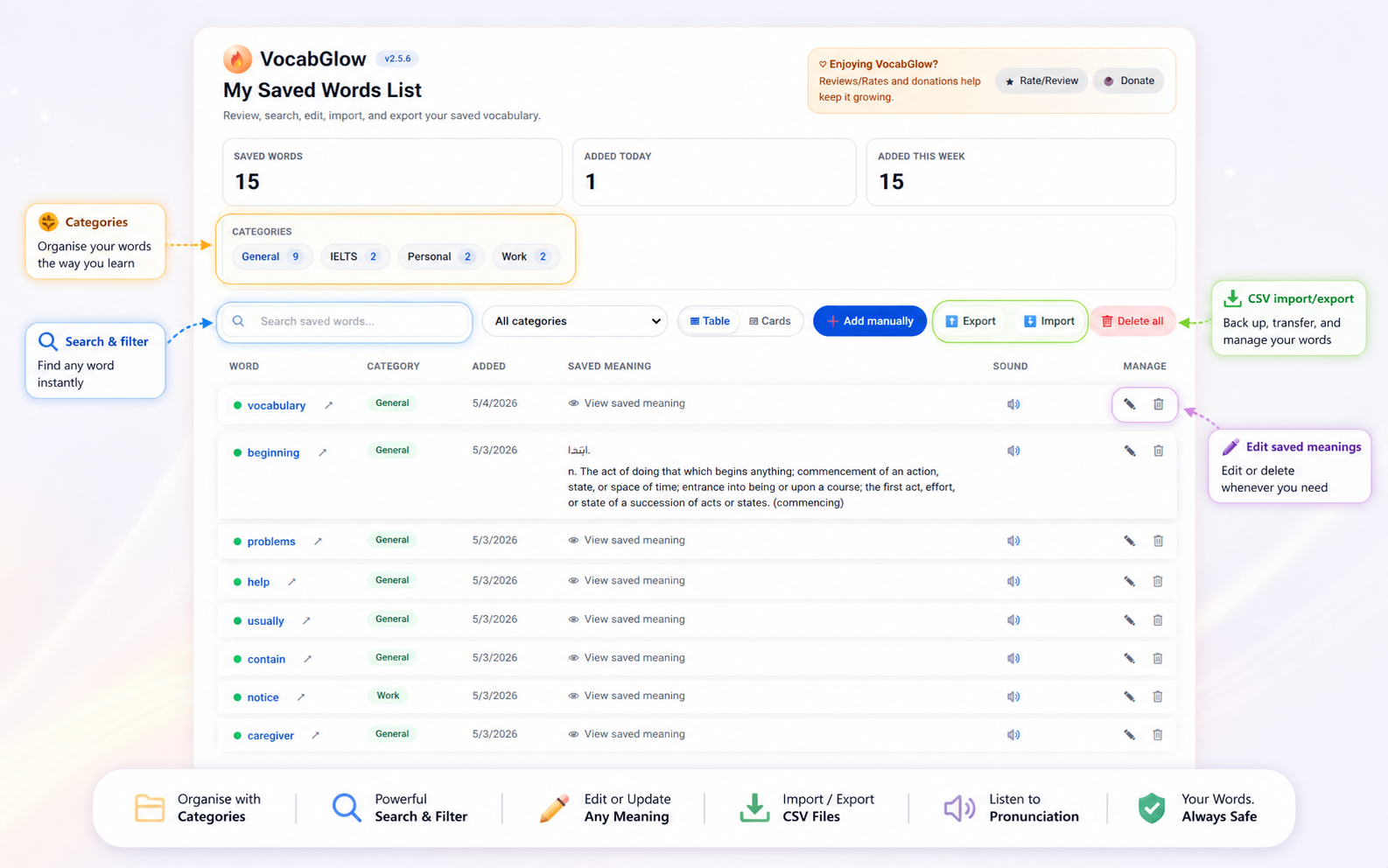
VocabGlow vocabulary manager showing saved words, categories, search, filtering, edit controls, pronunciation, and CSV import and export tools.
Organise, review, and manage your vocabulary in one place.

Saved-word highlighting with custom styles

Highlight saved words across the web with Soft Glow, Marker, Underline styles, custom colours, and limits (25/50/100/200).
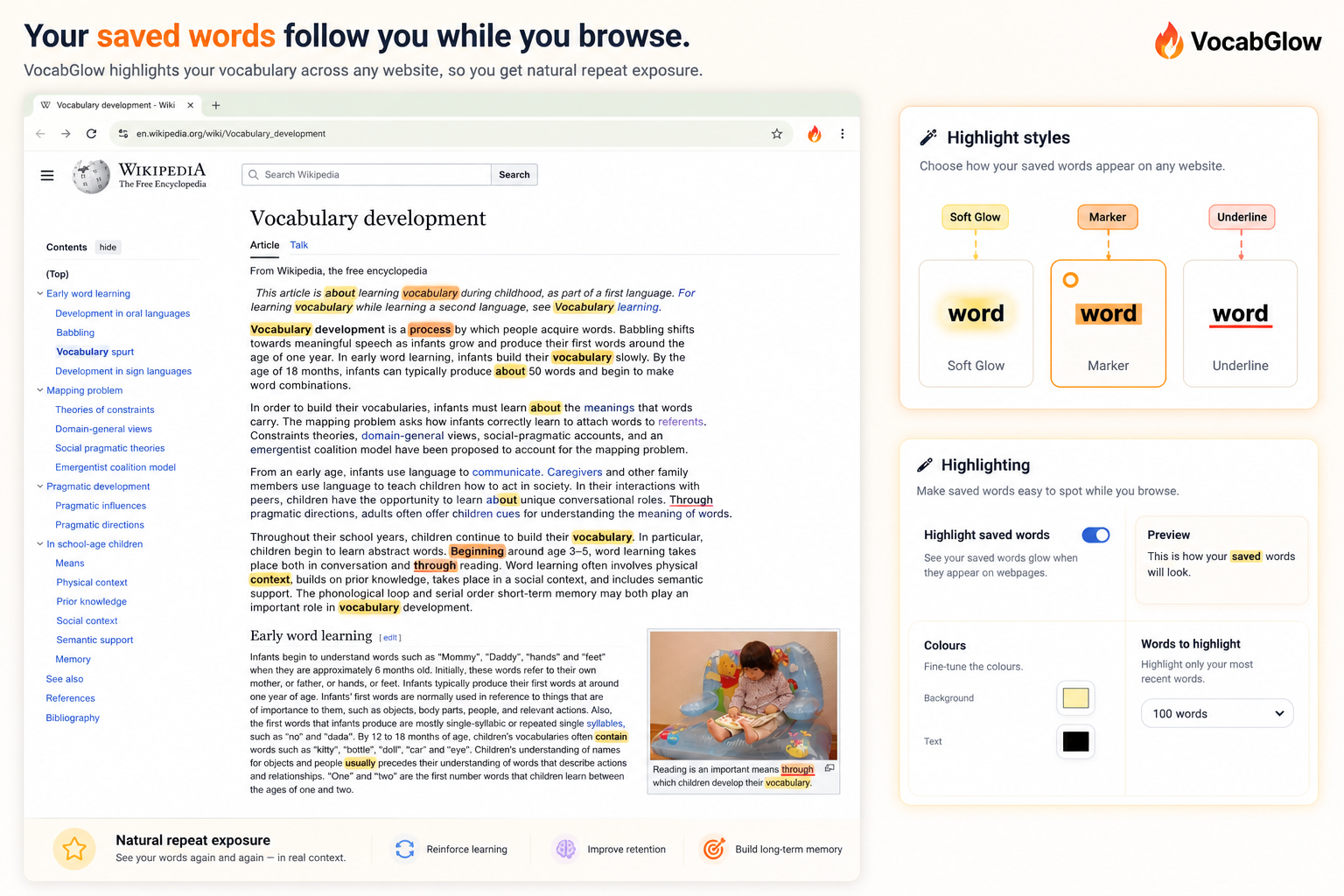
VocabGlow saved-word highlighting on a webpage showing soft glow, marker, and underline styles with custom highlight settings.
See your saved words again naturally as you browse.

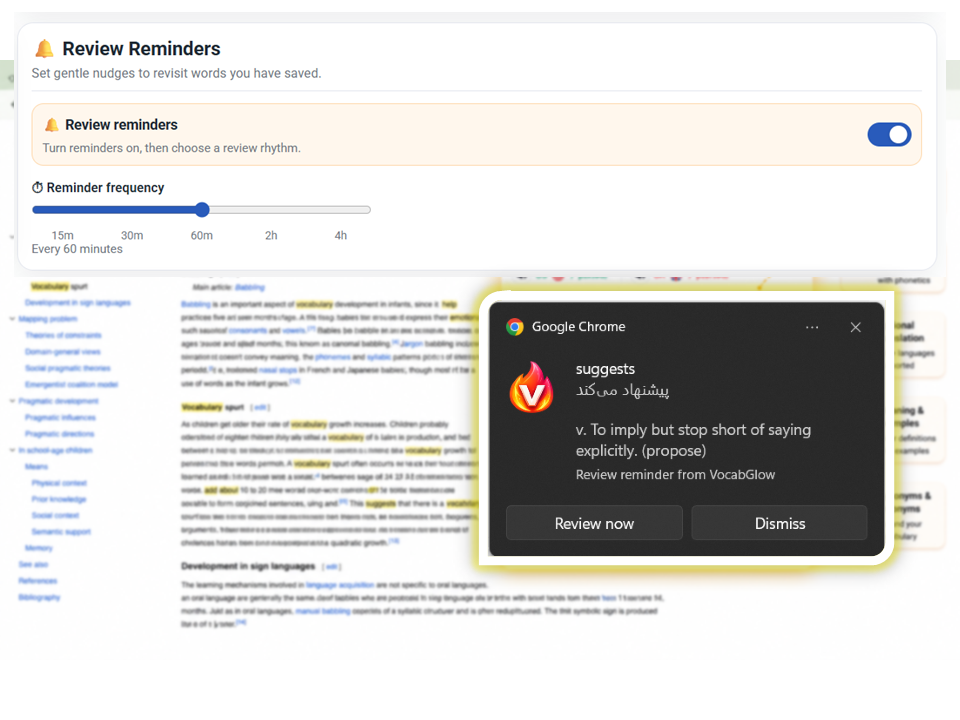
Review reminders and statistics

Use reminders to review vocabulary and track progress with popup saved-word statistics.
VocabGlow settings page showing lookup customisation, translation options, dictionary source selection, highlighting controls, reminders, and data tools.
Customise how VocabGlow works for your learning style.

Settings and customisation

Configure dictionary sources (Cambridge, Oxford Learner's, Merriam-Webster), popup content, and organise settings for your preferences.
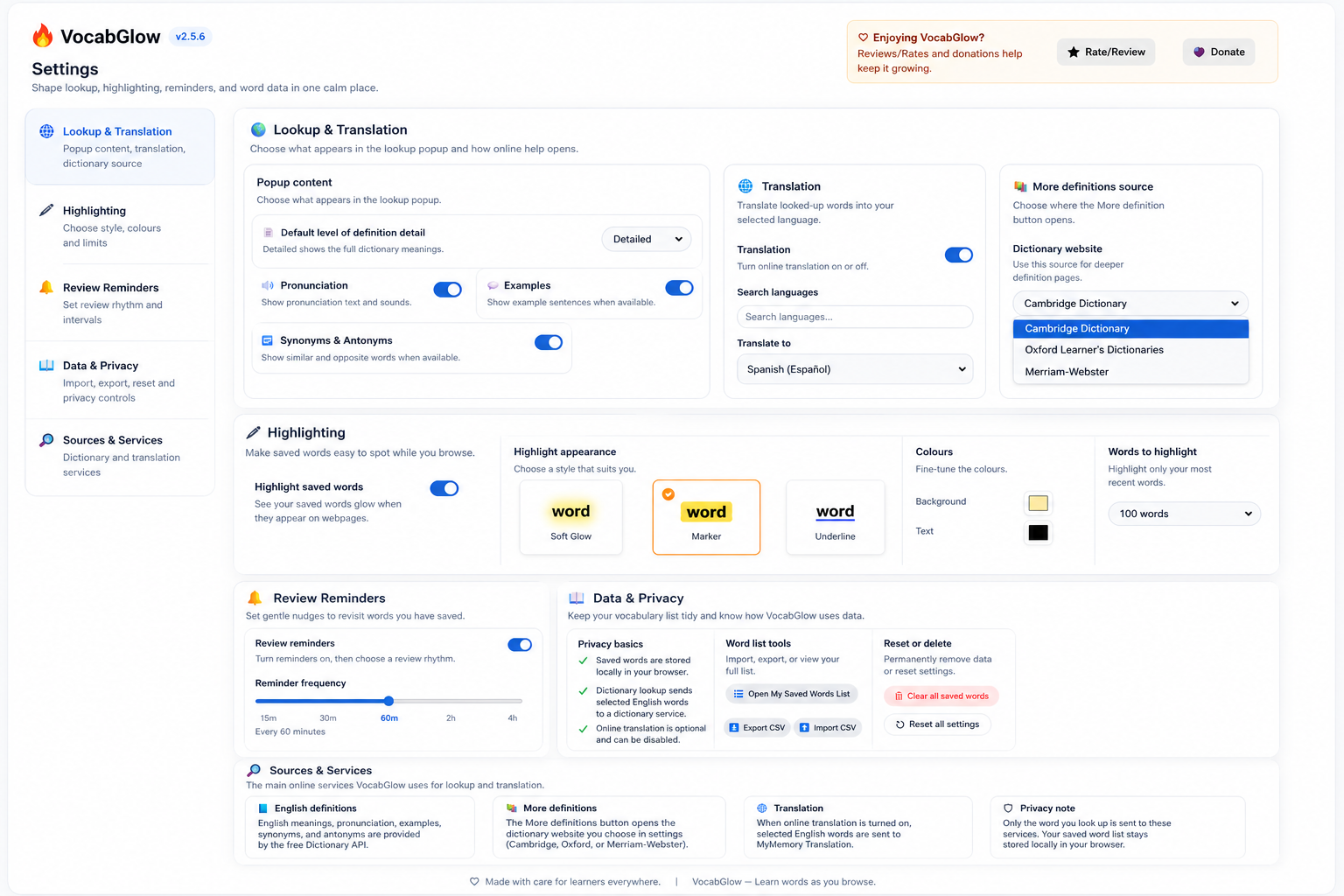
VocabGlow settings page showing lookup customisation, translation options, dictionary source selection, highlighting controls, reminders, and data tools.
Customise how VocabGlow works for your learning style.